This post is a self-service cheat sheet for Python environment and version management. One of the biggest problems with virtual environments in Python is the multiple tools available and how they play together.
Updated October 2026. I wrote the first version in 2020 using pyenv and venv. I reviewed it because my usage changed: today I use uv for new work and pipenv for the older projects, and I do not mix them in the same project. Some of the old content was also outdated, for example pipenv no longer installs Python by itself. The old pyenv + venv setup is kept at the end.
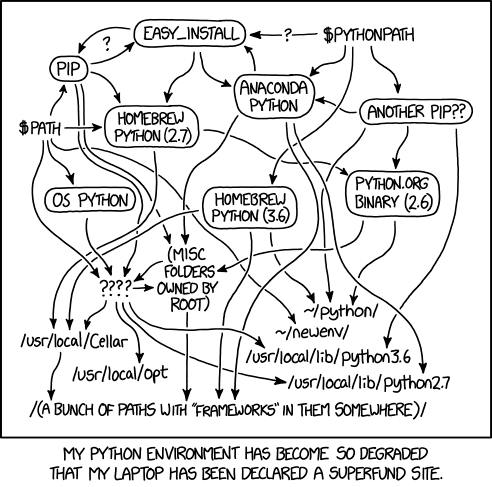
XKCD - Python Environment
Which one do I use?
- New script or project:
uv - Project that already has a
Pipfile:pipenv, or move it to uv - Run something once, without installing it:
uvxoruv run --with - pyenv + venv: still works, but it is two tools and more setup than I need now
uv
uv is a single fast binary. It manages the Python versions, the virtual environment, the dependencies and the CLI tools, so it replaces pyenv, venv, pip and pipx for me.
Install a Python version (uv downloads it, no compiling like pyenv) and pin the folder to it. The pin creates the .python-version file
uv python list
uv python install 3.13
uv python pin 3.13
Start a project and add a package. uv creates the .venv and the uv.lock for you
uv init
uv add requests
uv init also creates a pyproject.toml, a .python-version, a README and a src/ folder. The pyproject.toml looks like this
[project]
name = "myproject"
version = "0.1.0"
description = "Add your description here"
readme = "README.md"
requires-python = ">=3.13"
dependencies = [
    "requests>=2.34.2",
]
Run the code, no need to activate anything
uv run main.py
Recreate the environment on another machine
uv sync
A single script
For one file there is no need for a project. uv keeps the dependencies inside the script itself (PEP 723)
uv add --script report.py requests
uv run report.py
The script now carries its own requirements
# /// script
# requires-python = ">=3.13"
# dependencies = [
#     "requests>=2.34.2",
# ]
# ///
import requests
print(requests.get("https://example.com").status_code)
Try something without installing it
Run with a temporary package, nothing is added to the project
uv run --with rich python -c "import rich; print('ok')"
Run a CLI tool once, or install it for good in its own isolated environment
uvx cowsay -t hi
uv tool install ruff
If you only want a venv and pip, uv does that too, only faster
uv venv --python 3.13
uv pip install requests
pipenv
I keep it for projects that already have a Pipfile. Create the .venv inside the project folder, not in the home directory
export PIPENV_VENV_IN_PROJECT=1
Install a package and run the code. The Pipfile and the Pipfile.lock are created for you
pipenv install requests
pipenv run python main.py
The Python version is in the [requires] section of the Pipfile
[packages]
requests = "*"

[dev-packages]

[requires]
python_version = "3.13"
pipenv does not install Python anymore
In the 2020 version of this post pipenv offered to install a missing Python using pyenv. That only works if pyenv or asdf is installed. Without them (pipenv 2026.8.0) you get this, and you need to point to an interpreter with pipenv --python <path>
Warning: Python 3.13 was not found on your system...
Neither 'pyenv' nor 'asdf' could be found to install Python.
You can specify specific versions of Python with:
$ pipenv --python path/to/python
From pipenv to uv
You can keep both files side by side until you are happy. I tested this with requests and a dev package pytest.
Start from the [requires] section of the Pipfile and create the project
uv init --python 3.13
Add the packages you listed in [packages] and [dev-packages]. Only those, uv resolves the rest and writes the lock file
uv add requests
uv add --dev pytest
A "*" in the Pipfile becomes a minimum version in the pyproject.toml. If the Pipfile pins a version, pass it to uv
uv add "requests==2.31.0"
Check that it works, then remove the old files
uv run pytest
rm Pipfile Pipfile.lock
rm -rf .venv
uv sync
Commit pyproject.toml, uv.lock and .python-version.
Command map
pipenv install->uv syncpipenv install <pkg>->uv add <pkg>pipenv install --dev <pkg>->uv add --dev <pkg>pipenv uninstall <pkg>->uv remove <pkg>pipenv run <cmd>->uv run <cmd>pipenv lock->uv lockpipenv --rm->rm -rf .venv
If you must keep the exact versions from Pipfile.lock, export them and import with -r. Every sub-package ends up in the pyproject.toml with an exact pin, so the file gets noisy. I prefer the clean way above
pipenv requirements > requirements.txt
pipenv requirements --dev-only > dev.txt
uv add -r requirements.txt
uv add --dev -r dev.txt
Keeping the tools updated
Homebrew on Linux keeps the tools up to date (I did not test this one on the server)
brew install python uv pipenv
brew update && brew upgrade
The Python version of each project still comes from uv or the Pipfile.
Other tools
Not for my day to day, but you will meet them
- venv / virtualenv - standard library baseline (
python -m venv .venv) - Poetry, PDM, Hatch - project managers, more for publishing libraries to PyPI
- conda / mamba / pixi - when you need non-Python binaries (CUDA, GDAL, scientific stacks)
- pipx - CLI tools in isolated environments, same as
uv tool install - Rye - earlier experiment by the same people, folded into uv
- direnv - not Python, but activates a
.venvwhen youcdinto the folder
pyenv + venv (the old way)
This was my setup in 2020. Pyenv compiles every Python version, so it is slow and needs the build dependencies. Often I saw pyenv, venv and pipenv getting out of sync, and this was the most reliable combination. Python 3.8 is end of life now, use a current version. The .python-version file is the same one uv reads
pyenv install 3.8.7
pyenv local 3.8.7
python3 --version
# Python 3.8.7
python3 -m venv .venv
References
- uv documentation
- uv: running scripts
- pipenv documentation
- PEP 723 - Inline script metadata
- Python Environment 101. How are pyenv and pipenv different and… | by Shinichi Okada | Towards Data Science
- Pipenv Cheat sheet | feici02’s tidbits
- pipenv — a practitioner’s cheat sheet | by Shaoqing Tan | Medium
- The Many Faces of Python (And How to Manage Them) - Accelebrate